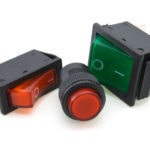
Despite wide use of “soft” on/off switching, the traditional electromechanical switch is still often required or preferred and is available in countless versions.
Switches are an integral, very necessary part of most electronic products. They have two broad roles: As power switches which, as their name indicates, cut the flow of power from the source, thus turning the unit or a load on and off; and as signal switches, which allow the user to indicate to the system what action is desired, such activating a function or connecting it into a system.
Increasingly, the design tendency is to prefer soft switching over hard-wired physical switches. In this approach, a small, temporary contact closure is sensed by the system processor and software, or an image or button on a touch screen is sensed to indicate the desired action to the system (Figure 1). The processor, in turn, electronically cuts the flow of current via a load switch or other component to turn the device off or responds as programmed to the user’s finger input.

Soft switching is not really providing “off” in the formal sense having zero current flow and no physical (ohmic) path from source to load. For soft power switching, the current flow is reduced to a quiescent value as the system goes into a deep sleep. At the same time, the device uses some power as it must retain enough “awareness” to sense when that soft on/off button is pressed again, to wake up the device and turn it fully on. For non-power soft-signal switches, the system processor and software must recognize the switch closure or finger on the panel in the right place and respond appropriately.
Why use soft switches? There are many reasons:
- They can reduce user-panel space.
- They enable a more compact and “slick” overall product package.
- They can save on bill of material (BOM) component cost ( the cost of a physical soft switch is near zero since it is usually just one of many such switches in an array; the cost of adding a button symbol on a touch screen is zero.
- They offer design flexibility, as the system software can respond differently at different points in the product’s function. (This can be both a blessing and a curse, depending on the design and implementation.)
- In theory, touch screens will never wear out.
Despite these features, there are applications where users prefer, demand, or mandate tangible, hardwired, electromechanical (EM) on/off switches. This may be due to comfort factors, convenience, circuit complexity for controlled high current/voltage levels, or safety assurance. Hard-wired EM switches offer these attributes:
- They are unambiguous in performance: when they are in the “off” state, the current flow path is complete; when they are on, current flows through a resistance of a milliohm or less.
- An EM switch is the only way to completely shut off the current flow resulting in zero battery drain or to ensure user safety.
- They are reliable, as actual switch failure is very rare; in contrast, soft switching can fail temporarily due to a software flaw (have you ever had to physically unplug a system or remove its battery to force a reboot, since the system was not sensing the purported “on/off” button due to a bug or crash?).
- They offer visible indicators, even at a distance: with nearly all hardwired EM switches, you can glance at them and see if they are on or off.
- For some products and some users, there is something satisfying on the “visceral” level about an EM switch
This article will look at some physical implementations of these hardwired EM switches and their unique functions and features. The next part of this article looks at switch contact arrangements and schematic symbols.
Related EE World Content
Switches: The complete guide
Miniature Toggle Switches
Dual Seal Waterproof All-in-One Toggle Switch
In defense of the toggle switch
Panel Mount Toggle Switches Feature One Through Four Pole Configurations
References
- RS Components, “The Comprehensive Guide To IP Ratings”
- Electronic Design, “11 Myths About Switch Bounce/Debounce”
- Maxim Integrated Products/Analog Devices, Application Note 287, “Switch Bounce and Other Dirty Little Secrets”